Get in touch
One person reads this mailbox, so please allow a couple of days for a reply. The Contact button on the About screen writes the draft for you and fills in your app version, device model and OS version — those three details are what turn a vague report into a fixable one.
ForeWind has no account system and no server of mine, so I cannot look up your settings, reset anything remotely, or see what went wrong on your device. Everything below is something you can check or fix yourself.
- It can't get my location
- The weather looks out of date
- The compass is wrong
- I paid, but ads are still there
- Why this number?
- Privacy policy
Location & weather
It can't get my location
Almost always one of these:
- Location permission was declined. On modern Android and iOS a declined prompt cannot be shown again from inside an app. Re-enable it in your system Settings under ForeWind › Location, choosing "While Using the App".
- Location services are off device-wide, or the phone is in a mode that suspends them, such as battery saver on some Android builds.
- No usable fix yet. ForeWind will reuse a position up to ten minutes old, but a cold start indoors or in a valley can take a while. Step outside and try again.
Why does it need my location?
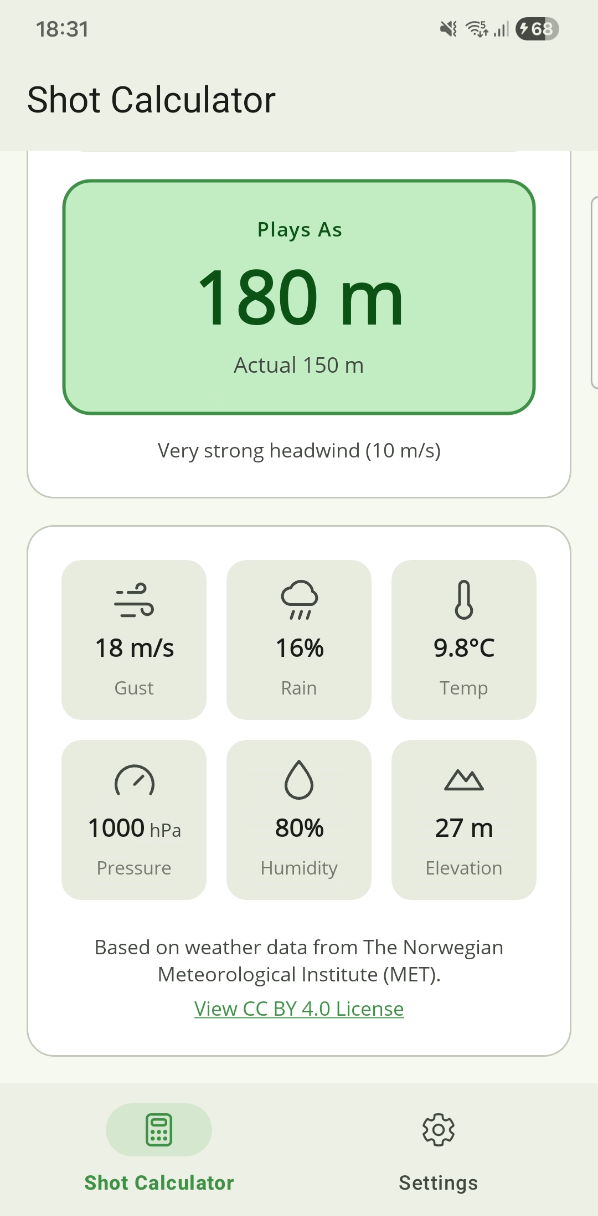
To know what the wind is doing where you are standing. ForeWind sends your coordinates to MET Norway's public forecast service and gets back the wind speed, direction, temperature, pressure and elevation for that point. There is no course database and no manual location entry, so without the permission there is nothing to calculate from.
The permission is "while using the app" only. ForeWind never asks for background location and cannot read your position when it isn't open.
The weather looks out of date
Pull down on the main screen to refresh. If nothing changes, the reading you already have is still considered current — ForeWind keeps each one for 5–10 minutes rather than asking the API for something it already knows. Wait out that window and pull again for genuinely new data.
Why it holds on to a reading
ForeWind caches each reading for 5–10 minutes so a round doesn't hammer the API, and it files that cache against your position rounded to about a kilometre, so nearby holes reuse the same reading. On a course that is usually what you want; the wind does not change meaningfully between the 4th tee and the 5th.
Forecasts are also only forecasts. MET Norway publishes on its own schedule, so at times the freshest data available anywhere is already an hour old.
Does it work without a signal?
Only for as long as the cached reading is valid. Fetching new weather needs a connection. Rural courses with no coverage are the awkward case: grab a reading in the car park while you still have signal and it will carry you a few holes.
The compass
The heading is wrong or drifting
Phone magnetometers are easily confused. In order of likelihood:
- It needs calibrating. ForeWind watches for unstable readings and asks you to calibrate when it sees them. Wave the phone in a figure-8 a few times, keeping it moving through all three axes — that is the motion the sensor needs.
- Something magnetic is too close. Cases with magnets or metal plates, MagSafe accessories, a trolley frame, a golf cart roof, or the clubs in your bag will all pull the reading. Step away from the bag and hold the phone out from your body.
- You are holding it tilted. Heading is most reliable with the phone reasonably flat.
The reading is smoothed deliberately, so it settles over a moment rather than snapping. If it lags badly after you turn, that is usually the same calibration problem.
How do I set my shot direction?
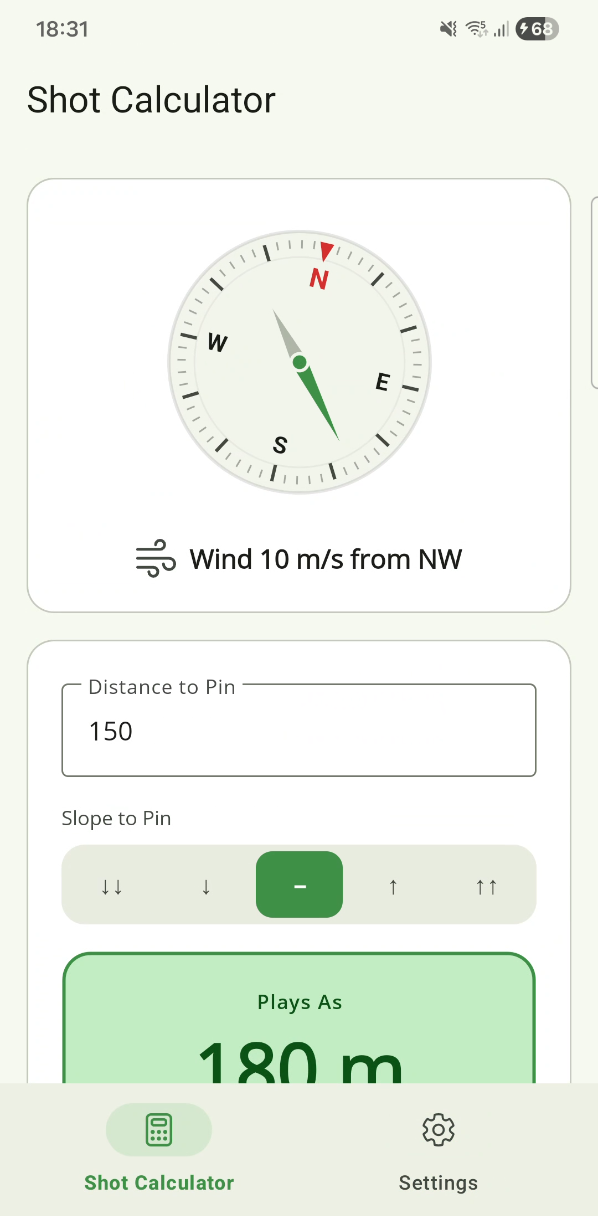
Hold the phone flat and point the top of it at your target. ForeWind reads the device compass and uses that heading as your shot line, then compares it to the direction the wind is coming from.
My phone has no compass
A few budget handsets ship without a magnetometer. ForeWind lists the compass as optional hardware so it still installs, but shot-direction input is the one thing that will not work.
How the numbers work
What is ForeWind actually calculating?
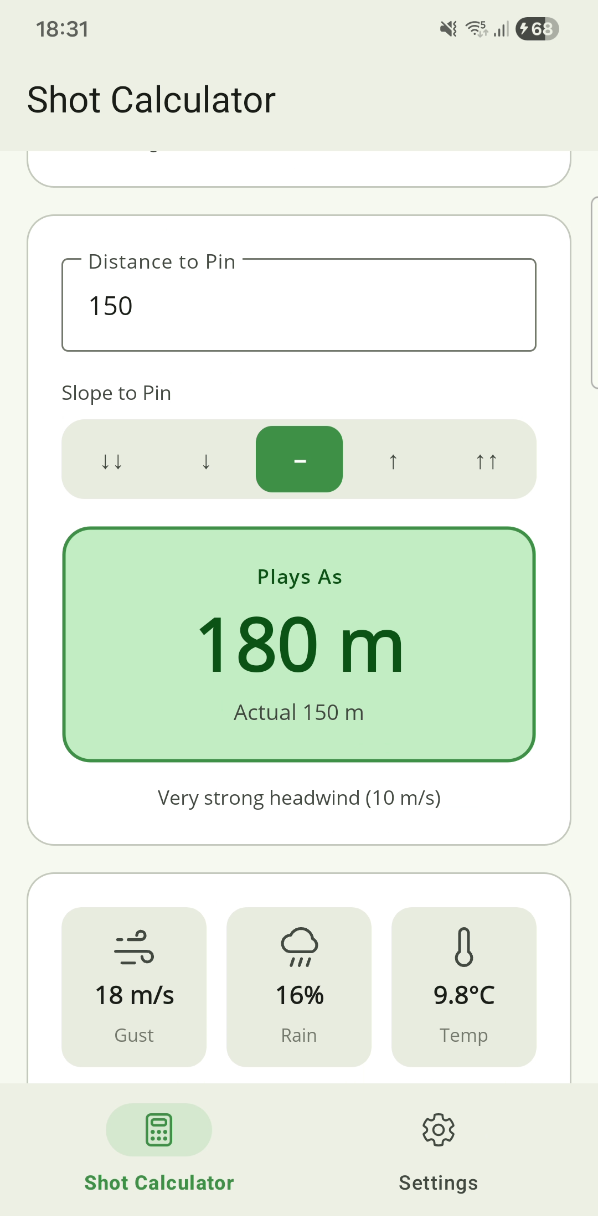
You give it a target distance and point the phone down your shot line. ForeWind takes the current wind at your location, works out the angle between the wind and your shot, and tells you the distance the shot will play — longer into a headwind, shorter downwind.
Into the wind it adds distance. Downwind it takes some off, but less than it adds, because that asymmetry is real. Across the wind it leaves the distance alone — a crosswind pushes the ball sideways rather than shortening the shot, and judging that push is still your job.
The exact model, if you want it
The model is cosine-interpolated rather than split into quadrants, so there is no sudden jump as the wind swings from head to cross. A pure headwind adds roughly 1 % of your distance per mph of wind; a pure tailwind takes off about half that, 0.5 % per mph.
Treating head and tail as mirror images would over-club you downwind, which is why they are weighted differently. At 90° the distance adjustment falls to zero.
Why does the playing distance change when the wind hasn't?
Air density. Cold, heavy air makes the ball fly shorter, so the shot plays longer; warm air, altitude or a low-pressure system makes it fly further, so the shot plays shorter. ForeWind corrects for this quietly — there is no setting and no separate readout, it is folded into the number you see. On a mild day near sea level the effect is a fraction of a metre. At altitude it is not.
What it uses to work that out
The temperature, the elevation at your location, and the sea-level pressure reported by the weather service, compared against standard conditions — 15 °C, 1013.25 hPa, at sea level.
Wind strength categories
| Category | Speed |
|---|---|
| Calm | 0–5 km/h |
| Light | 6–15 km/h |
| Moderate | 16–25 km/h |
| Strong | 26–35 km/h |
| Very strong | 36+ km/h |
The labels describe the wind. The adjustment itself is calculated from the actual speed and angle, not from the category.
Another app gives me a different number
Expect that. Wind apps disagree about the wind itself — different models, different grid resolutions, different update times — and shot calculators disagree about what to do with it. ForeWind's figure is a considered starting point for club selection, not a measurement. Trees, the shape of the hole and wind higher up than your phone can feel are all still yours to read.
Units & appearance
Yards instead of metres, mph instead of m/s
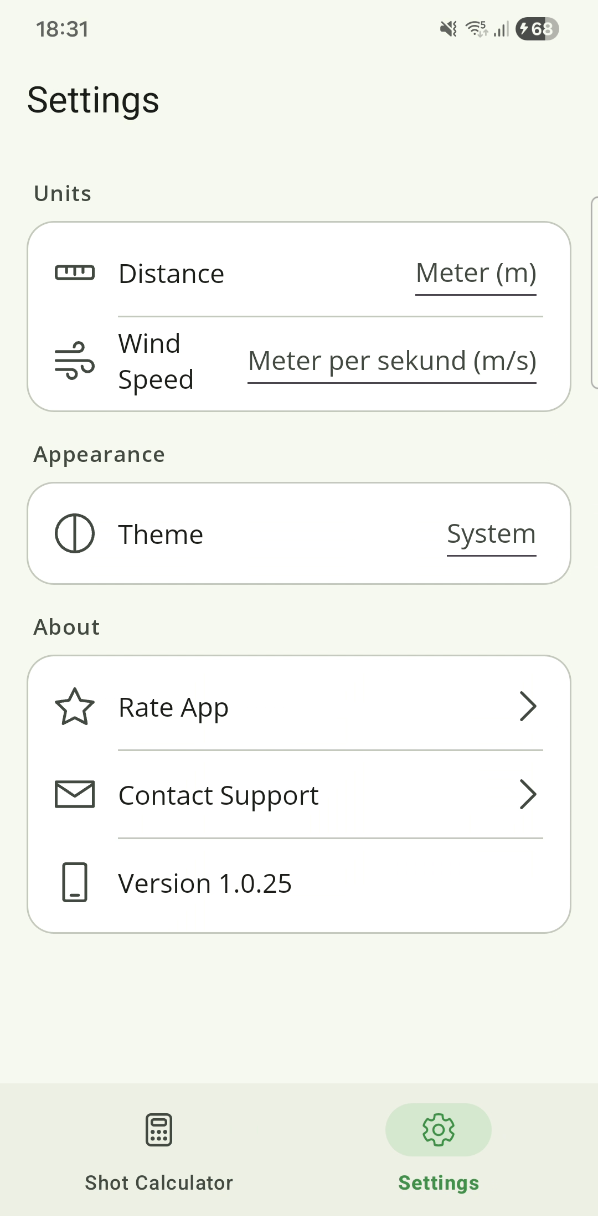
Settings › Distance units and Wind speed units. Distance and wind are independent, so yards with m/s is fine if that is how you think. The choice is remembered and applies everywhere in the app.
Dark mode
Settings › Appearance: System, Light or Dark. System follows your phone, including a scheduled night mode.
Remove Ads
I paid, but the ads are still there
Open Settings and tap Restore purchases. That re-checks your Google Play or Apple account and restores the unlock — it is also how you get it back after reinstalling or moving to a new phone, at no extra cost. Make sure you are signed in with the same store account you bought it on.
If the purchase was charged and never applied, email me the store receipt and I will sort it out.
What does the purchase do?
ForeWind is free and shows a single banner at the bottom of the main screen. Remove Ads is a one-time purchase that takes the banner away permanently. There is no subscription, no second tier, and nothing else to buy — every calculation feature is free for everyone.
One detail worth being straight about: removing the banner stops the ad from being shown, but Google's Mobile Ads library still starts up with the app. The privacy policy explains what that does and does not mean.
Refunds on the purchase itself
Payment is handled entirely by Apple and Google, so refunds go through them, not me — Apple via reportaproblem.apple.com, Google via your Play order history. I never see your payment details and cannot issue a refund directly.
Everything else
Which devices are supported?
Android 6.0 and later, and iPhone on iOS 15 and later. The layout is portrait-only and iPhone only for now — it runs on iPad in compatibility mode, but there is no iPad layout yet.
Does it work in my language?
ForeWind formats distances, speeds and dates for your region, but the text ships in English today. If you would like it in your language, email me — it is genuinely quick to add.
Where does the weather come from?
MET Norway's Locationforecast 2.0 service, used under CC BY 4.0. It is a free public service with genuinely good global coverage, and it is credited on the About screen.
Something is wrong that isn't listed here
Email forewind@nilbytestudio.com, ideally from the Contact button on the About screen so the version and device details come along. Bug reports with a screenshot get fixed fastest.