RefundHound · iOS & Android
Refunds don't chase themselves.
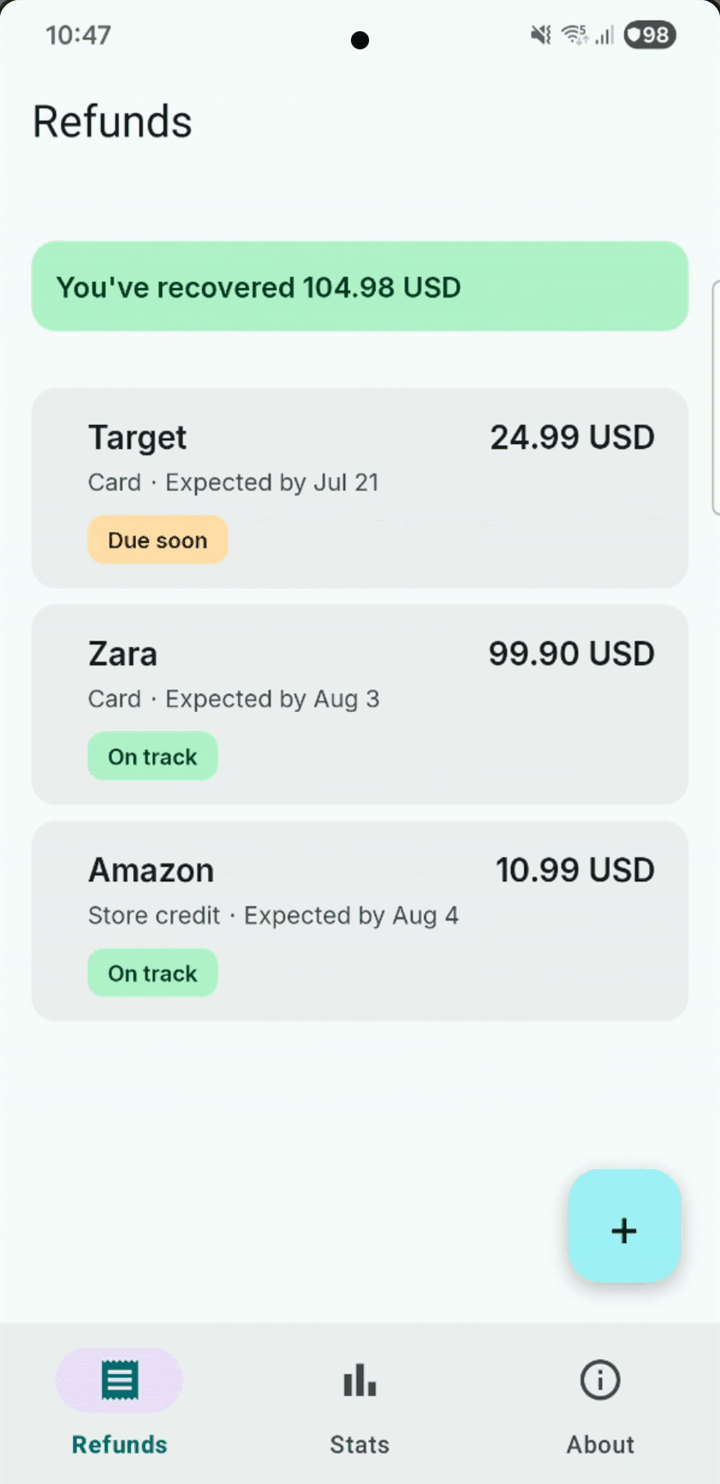
A refund takes “5–10 business days” — long enough that it slips your mind. Log a refund in ten seconds and RefundHound remembers for you — then tells you exactly what to do when the money doesn't turn up.


Free to download · one-time unlock, no subscription
The problem
The money is owed. Remembering it is the hard part.
A returned parcel, a cancelled booking, a double charge. Each one comes with a vague promise and no receipt you'll ever look at again. Miss the window to dispute it and the merchant simply keeps the money.
-
It tells you what to do next
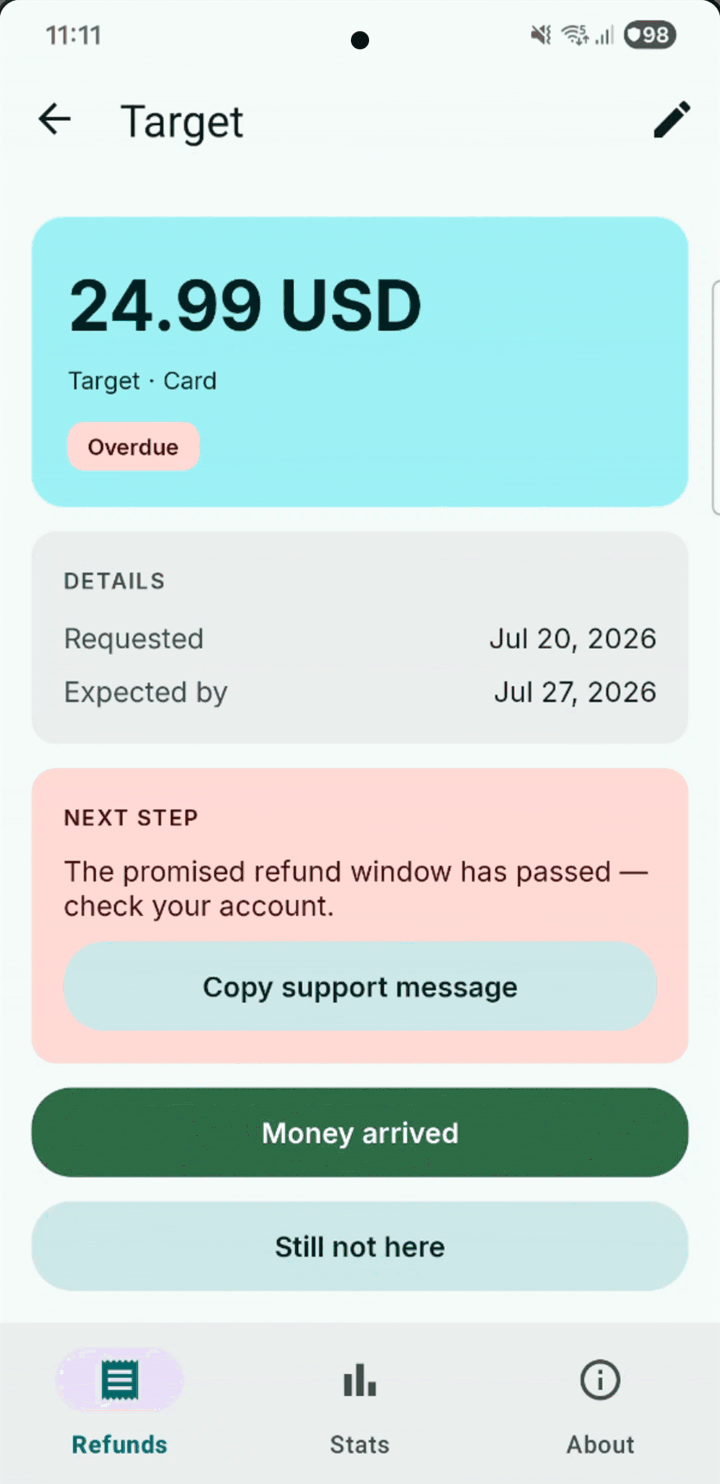
This is the part other trackers skip. Once the promised date has passed, RefundHound stops being a list and starts being useful: check your account, then contact support with a message it writes for you, then how a card dispute works. The advice escalates as the refund ages.
-
One tap to close it out
When the money lands, mark it arrived and you're done. If it hasn't, say so and RefundHound keeps chasing — every three days, until it either turns up or you decide to write it off. Six reminders, then it stops asking.
-
Watch the money come back
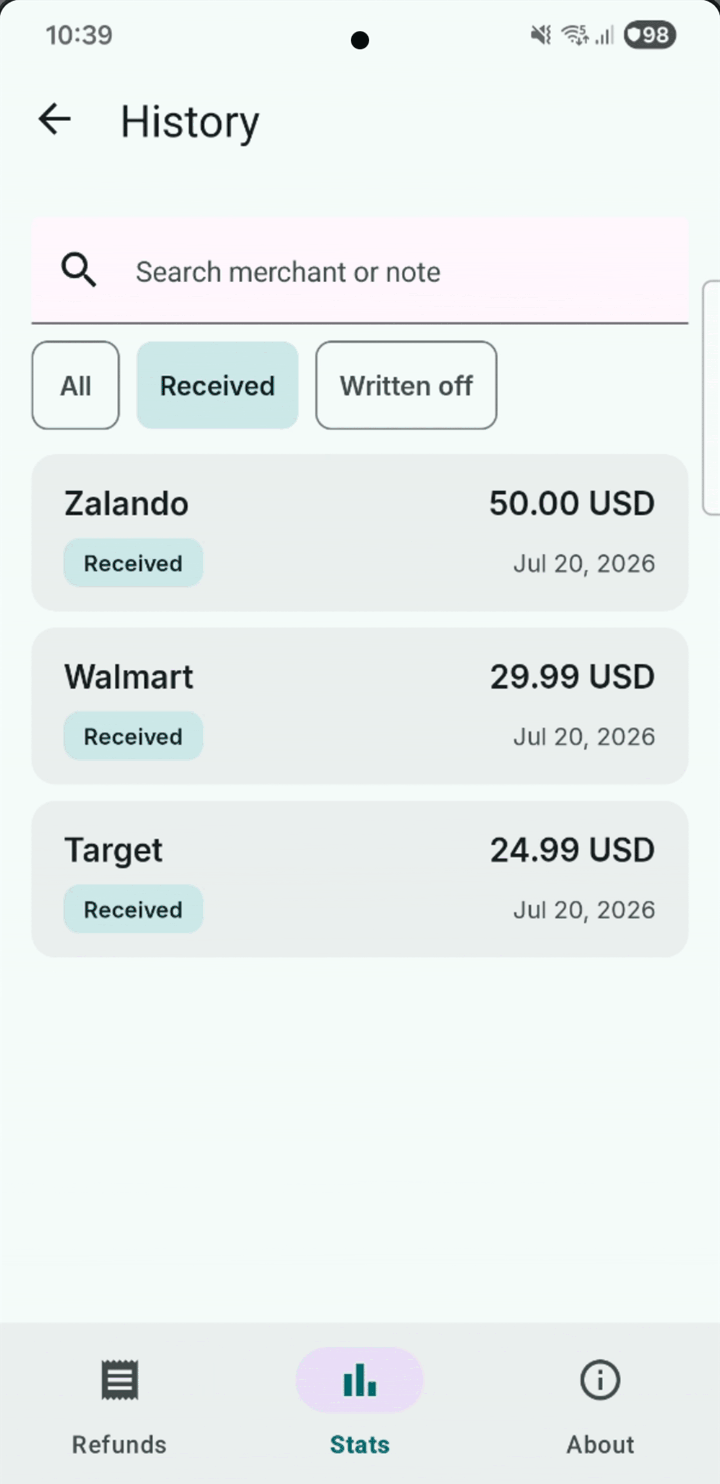
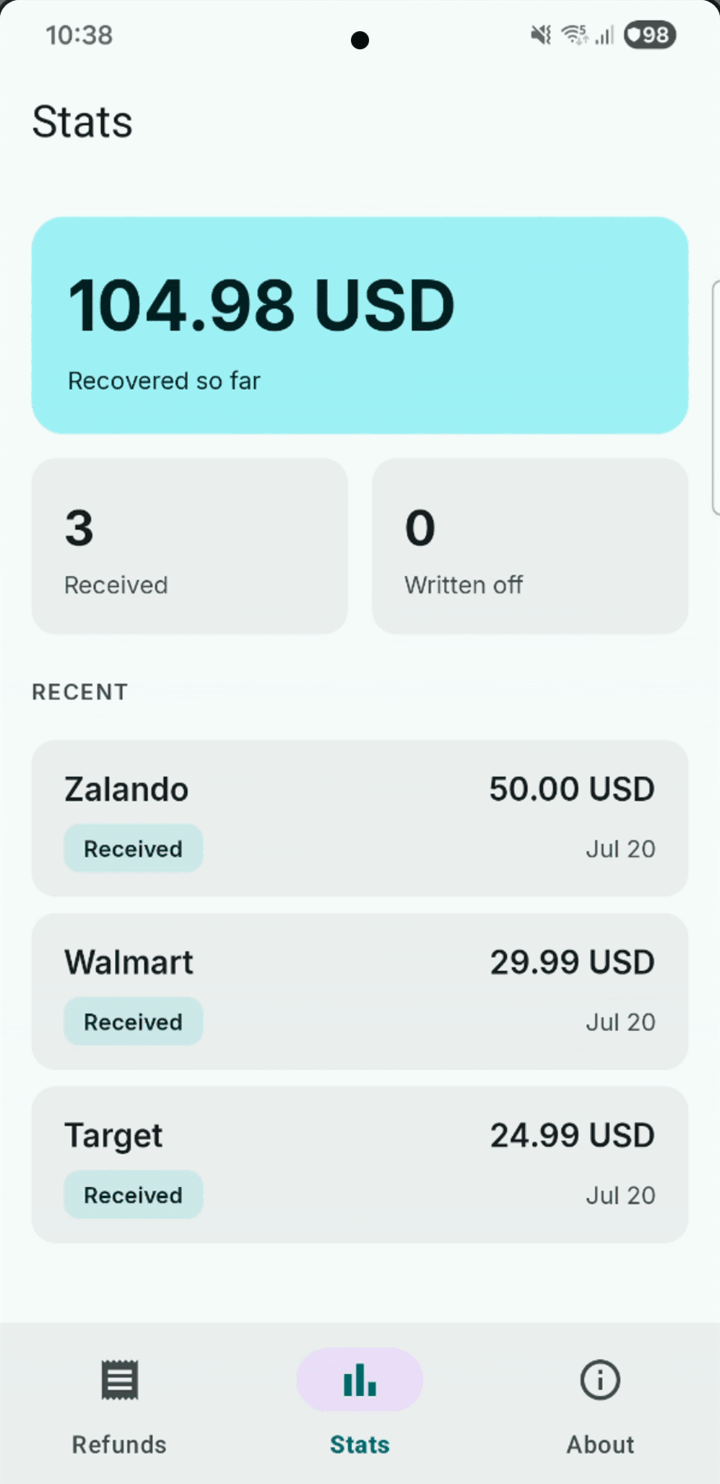
Mark a refund received in one tap and it moves to your history. The stats screen keeps the only number that matters: how much you've actually recovered since you started keeping track.
What it costs
Free to use. One purchase if you need more room.
-
Three at a time, free
The free version tracks three active refunds at once — closed ones don't count, so a slot frees up every time money lands. For most people that is three more than they were tracking before.
-
Unlimited, paid once
RefundHound Unlimited removes the cap. A one-time purchase, not a subscription, and there is nothing else to buy.
-
Nothing else is locked
History, statistics, receipt photos, the support-message templates and CSV export and import are free for everyone, forever.
-
No ads
No banners, no analytics SDK, nothing watching what you shop for.
It never leaves your phone
A refund tracker knows what you bought, what it cost and where you shop. The safest place for that is a database on your own device — so that is the only place it exists. No account, no cloud sync, no bank connection, and no server of mine holding a copy.
Which also means I can't recover your data if you lose your phone. That trade is deliberate, and the CSV export is there so you can keep your own backup.
Help
Something not working?
The support pages cover missing notifications, moving to a new phone and restoring a purchase. If none of it helps, one person reads the mailbox.
Or email refundhound@nilbytestudio.com.